
Couple widgets for iPhone, made for two.
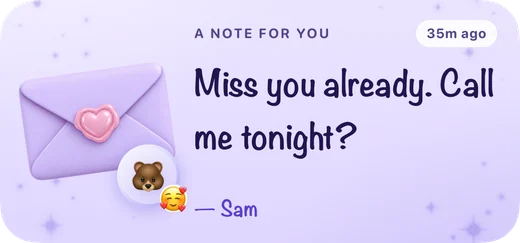
Midnight’s couple widgets put your shared canvas, love notes, relationship milestones and little love taps on your iPhone Home Screen. You link with one partner and choose what belongs in your shared space.
Which couple widgets does Midnight have?
Midnight 6 includes nine widget kinds and eight color themes. The widgets suit couples who live together, spend busy days apart, or share a long-distance relationship.
| Widget | What you share | Access |
|---|---|---|
| Love Note | Your partner’s handwritten-style note | Free |
| Doodle | A shared drawing canvas | Free |
| Miss You | A heart you can tap to send love | Free |
| Days Together | Your days since your relationship began | Free |
| Distance | The miles or kilometers between you | Free |
| Tonight | Your daily question ritual | Free |
| Mood | How you both feel | Pro |
| Countdown | The days until your next shared event | Pro |
| Us | A dashboard of your shared world | Pro |
How do I add a couple widget?
- Install Midnight on both devices, then invite your partner into your shared space.
- Open the Widgets tab in Midnight to pick a widget. The app also includes an installation guide.
- On your iPhone Home Screen, touch and hold an empty area, tap Edit, then Add Widget.
- Search for Midnight, choose a widget and size, tap Add Widget, then Done.
Apple’s guide to adding and editing iPhone widgets covers the system controls.
Can both partners have the same canvas?
Yes. The shared canvas widget shows your linked drawing. Both partners can draw in Midnight and keep that canvas on their Home Screens. A love note works differently: it brings your partner’s words to your screen.
Can I use couple widgets on the Lock Screen?
Midnight offers supported Lock Screen sizes for Love Note, Doodle, Miss You, Days Together, Distance, Tonight and Countdown. The Lock Screen canvas is a compact companion to the larger Home Screen drawing. Available layouts differ by widget.
Which themes are free?
Daylight and Midnight are free. Pro adds Blush, Sky, Sage, Orchid, Lilac and Noir. A free widget shown in a Pro theme needs Pro for that color theme; the same widget is free in Daylight or Midnight.
Do we need two subscriptions?
No. One active Midnight Pro subscription covers both linked partners. You can link with your partner and start using the six free widgets before deciding whether you want Pro.
What devices can use Midnight?
Midnight is available on iPhone and iPad with iOS 26 or iPadOS 26 or later. It is not currently available on Android. The website demonstrates the widgets; drawing and sharing happen in the app.